By using this site, you agree to the Privacy Policy and Terms of Use.
Accept
Okay News
  • News
  • Politics
  • Business
  • Technology
  • Security
  • Entertainment
  • Sports
Reading: WhatsApp Introduces Simultaneous Login for Two Accounts on Single Device
Font ResizerAa
Okay NewsOkay News
  • News
  • Politics
  • Business
  • Technology
  • Security
  • Entertainment
  • Sports
Follow US
2026 © Okay International Limited - All rights reserved
Technology

WhatsApp Introduces Simultaneous Login for Two Accounts on Single Device

Yusuf Abubakar
By
Yusuf Abubakar
ByYusuf Abubakar
Yusuf Abubakar, Born in the mid-’90s, a recipient of various meritorious awards, a passionate entrepreneur, an advocate of good governance, a toast master and a patriotic...
Follow:
Published: 2023/10/19
2 Min Read
Share
SHARE

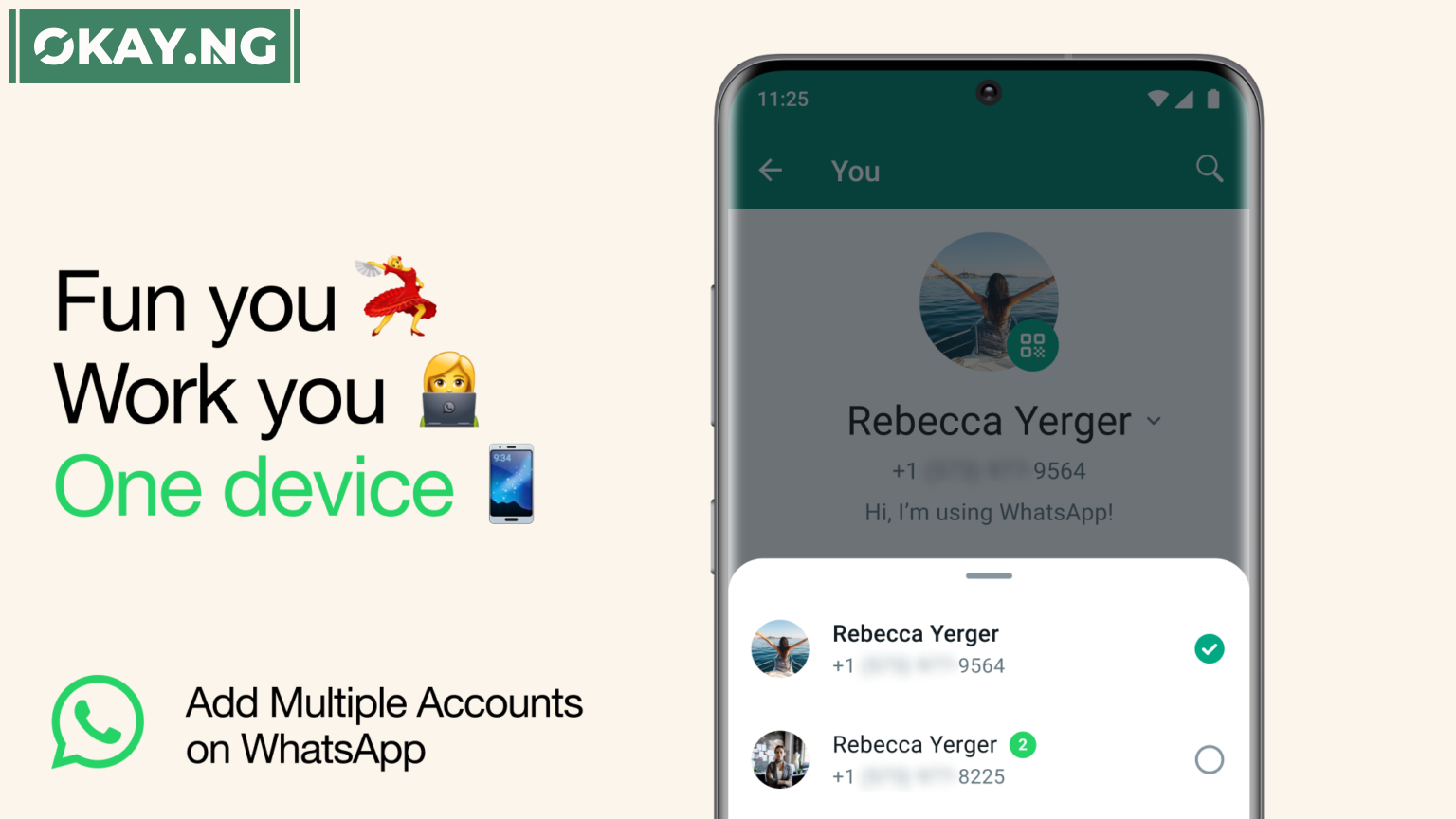
WhatsApp, the popular messaging platform owned by Meta, is rolling out a long-awaited feature that allows users to log into two accounts simultaneously on a single device.

The announcement was confirmed by Mark Zuckerberg, the founder of Meta, on Facebook, and further solidified by the WhatsApp blog, stating that the feature is now available.

In a recent blog post, WhatsApp outlined the benefits of the new feature: “Today, we’re introducing the ability to have two WhatsApp accounts logged in at the same time. Helpful for switching between accounts – such as your work and personal – now you no longer need to log out each time, carry two phones, or worry about messaging from the wrong place.”

Previously, managing two WhatsApp accounts simultaneously required the use of two separate devices or a device with cloning capabilities to run more than one instance of WhatsApp.

- Advertisement -

The new update eliminates the need for these workarounds, providing convenience for users juggling multiple accounts.

While the feature allows for the operation of two accounts, users will still need a second phone number and SIM card, or a phone that supports multi-SIM or eSIM functionality.

Within the WhatsApp settings, users will find an “Add account” option alongside their name, providing the ability to manage privacy and notification settings for both accounts.


Follow Okay News channel on WhatsApp
Add as a preferred source on Google
Follow Okay News on Instagram
- Advertisement -

TAGGED:Whatsapp
Share This Article
Facebook Pinterest Whatsapp Whatsapp Email Print
Previous Article AirPods Pro 2 Step by Step Guide: How to Update Your AirPods Pro to the Newest Firmware
Next Article Step-by-Step Guide: How to Use Two WhatsApp Accounts on One Phone Step-by-Step Guide: How to Use Two WhatsApp Accounts on One Phone

Stay Connected

FacebookLike
XFollow
InstagramFollow
TiktokFollow
WhatsAppFollow
- Advertisement -

More News

Artificial intelligence (AI)

OpenAI Introduces Ads on ChatGPT as Sam Altman Shifts Strategy

By Adamu Abubakar Isa
3 Min Read
Technology

Musk Says SpaceX Is Racing Toward A Moon City Before Turning Fully To Mars

By Oluwadara Akingbohungbe
4 Min Read
Crypto

Crypto Exchange Mistakenly Sends $44 Billion in Bitcoins to Users

By Adamu Abubakar Isa
1 Min Read
Okay NewsOkay News
2026 © Okay International Limited - All rights reserved
  • About Us
  • Advertising
  • Contact
  • Careers
  • Team
Welcome Back!

Sign in to your account

Username or Email Address
Password

Lost your password?

Continue with Facebook