When I first started designing, I had no idea Figma plugins existed. I spent extra time doing things manually, not realising there was an easier way. Even after hearing about them, I struggled to find and use them. (I didn’t know they were in the Community section of Figma.)
Thankfully, Figma has improved its UI, making it much easier to discover and install plugins with just a few clicks.
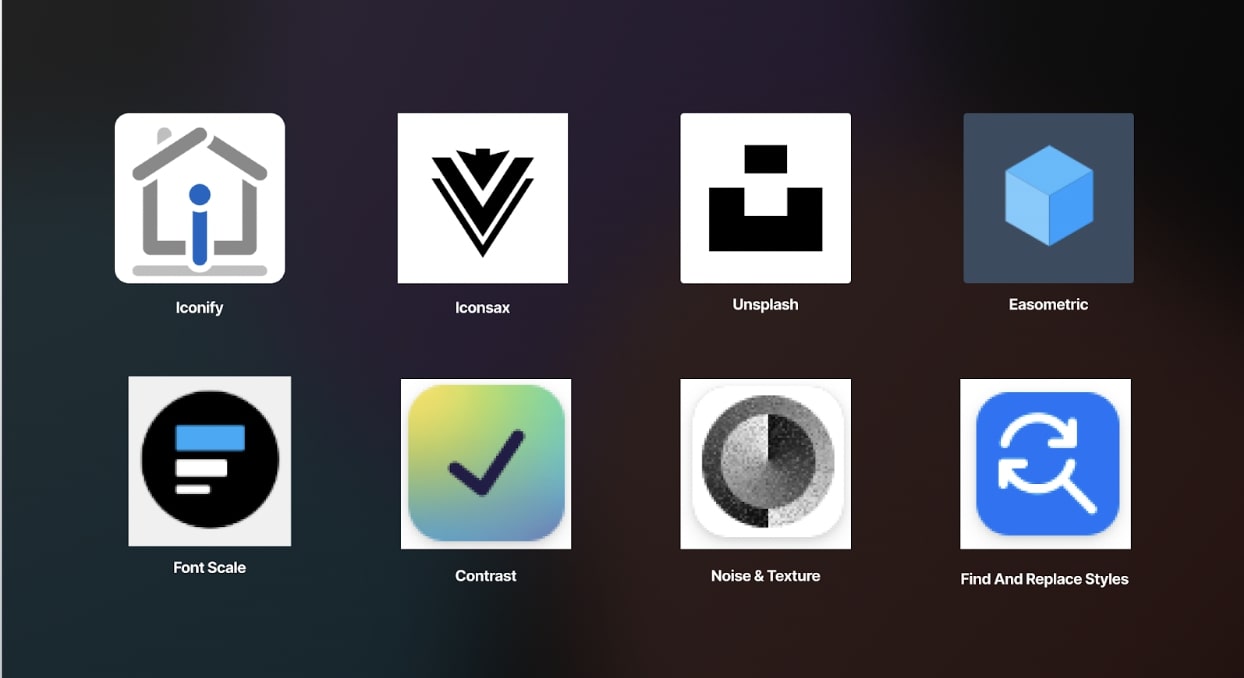
With that in mind, I’ve put together a list of 7 must-have Figma plugins that every designer should explore in 2023.
1. Iconsax & Iconify: Iconify gives you access to over 200,000 open-source icons from 150+ icon sets in one place. You can instantly find what you need without breaking your workflow. While Iconsax offers over 6,000 icons in six different styles (Linear, Outline, Bold, Bulk, Two-tone, and Broken). Instead of manually tweaking icon styles, Iconsax Iconsac provides these six styles, so you can maintain a consistent look and feel while choosing the best fit for each section. These plugins save time when I need icons for personal or commercial projects.
2. Unsplash: Unsplash is my go-to for high-quality, royalty-free images. With this plugin, I can search for images directly in Figma and insert them instantly. It’s perfect for every usage in UI design, mockups, marketing materials, pitch deck designs and presentations.
3. Easometric: I love isometric designs, and this plugin makes it easy. It lets you transform 2D objects into isometric views, which is great for creating perspective designs and effective for eye-catching visuals for websites, apps, and branding.
4. Font Scale: Typography hierarchy is crucial in design. Typography consistency shouldnt be overlooked when designing. This plugin helps maintain a clear typography hierarchy by scaling fonts consistently. It would help you set a base size, choose a scale, and get a polished, professional look.
5. Contrast: You already know good contrast improves readability and accessibility. This plugin checks the contrast between design elements and provides insights on how to improve it. That way in whatever you’re designing, the contrast helps ensure your text is easy to read.
6. Noise & Texture: This plugin allows you to create seamless textures, patterns, gradients, and noise effects. It’s great for adding subtle depth to designs without switching between different design software. You can customise colours, intensity, and scale to match your style.
7. Find and Replace Styles: Need to update styles across multiple components? This plugin makes it effortless. You can find and replace styles across entire projects, keeping your designs consistent. It’s especially useful for adjusting colours, typography, or spacing in large files.
Why Plugins Matter in 2023
Figma has become one of the most powerful design tools, and its growing plugin ecosystem makes it even better.
As these design tools evolve, so do the demands on designers. These plugins not only save time but also open up new creative possibilities. By integrating them into your workflow, you can focus on design thinking and strategy instead of repetitive tasks. Try these plugins out and let me know which ones are your favourites.
About the author
I’m Oyinloluwa Adedoyin, a product and motion designer focused on impactful digital experiences, working across media, education, and fintech spaces, building solutions that merge clarity, usability, and motion to connect better with users. A lottiefiles contributor with over 1,000 downloads dedicated to shaping the future of digital experiences by combining creativity, technology, and innovation.