By using this site, you agree to the Privacy Policy and Terms of Use.
Accept
Okay News
  • News
  • Entertainment
  • Business & Economy
  • Sport
  • Tech
Font ResizerAa
Okay NewsOkay News
Search
  • News
  • Entertainment
  • Business & Economy
  • Sport
  • Tech
Follow US
Tech

Best Way to Move Your Apps To microSD Card on Galaxy S7, S7 Edge

Promise Amadi
By
Promise Amadi
ByPromise Amadi
News Reporter
Amadi Promise is an Assistant Senior Editor at Okay Nigeria (Okay.ng) who handles Sports & Educational sections. He loves sharing what he knows and also learns...
Follow:
Published: 2017/05/26
2 Min Read
Share
SHARE
It is very simple to move apps to microSD card on Galaxy S7 with the latest Android and Samsung’s custom UX combo.  No doubt, in the past this was a highly requested feature but as developers become smarter, some features have become very handy, especially this one that has to do with your internal memory.
It is noted that when apps are moved to SD card on mobile devices, it frees up space. For those who have not been able to move apps to SD card on Galaxy S7, this article will be of greater help to you.

one.
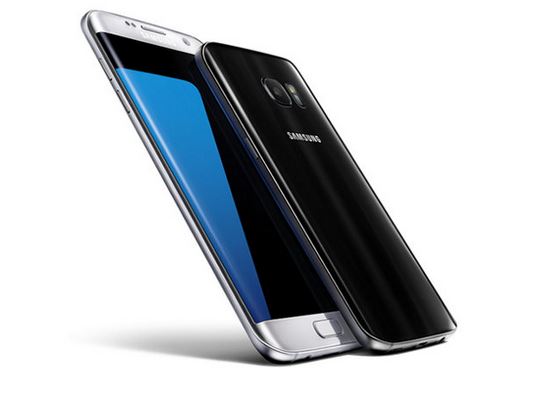
Steps on How to Move Apps to MicrosD Card On Galaxy S7
  • Go to “Apps” > “Settings”
  • Tap “Applications”
  • Tap “Application manager”
  • Tap the app you intend moving to the mircoSD card
  • Tap “storage”. (If the “storage” is unavailable, it means the particular app can’t be moved)
  • Tap “Change”
  • Tap “SD card”
  • Tap “Move”
With these steps you are set to move any app to your Galaxy S7 microSD card and also Galaxy S7 Edge by extension.
Note. if you can’t move apps to SD card on Samsung Galaxy S7, it simply means the app wasn’t optimized for that function or the particular app is built-in. In this case, if you uninstall the app by mistake or remove the SD card, then it is possible the Galaxy S7 will stop functioning properly.
You are advised to only move apps that will not affect the functionality and performance of your smartphone.
Hope this article was helpful, Please do well, to share this post via your Social Network accounts Facebook, Twitter, Instagram, Google plus etc. with Share button below.
Share This Article
Facebook Pinterest Whatsapp Whatsapp Email Print
ByPromise Amadi
News Reporter
Follow:
Amadi Promise is an Assistant Senior Editor at Okay Nigeria (Okay.ng) who handles Sports & Educational sections. He loves sharing what he knows and also learns from others. Promise is also an Android developer at Rad5 Tech Hub.
Previous Article Fidelity Bank How to Sign Up for Fidelity Online Banking – Your Complete Guide
Next Article Ramadan: Osinbajo Urges Nigerian Muslims to Continue to Pray for President Buhari

Stay Connected

FacebookLike
XFollow
InstagramFollow
TiktokFollow
WhatsAppFollow

You Might Also Like

Nigerian Communications Commission (NCC)
Tech

NCC Emerges Among Top Three Federal Agencies for Website Performance in 2025

By
Yusuf Abubakar
5 Min Read
Artificial intelligence (AI)International

Authors Sue Meta, OpenAI, xAI, Others Over Alleged Piracy of Books

By
Adamu Abubakar Isa
2 Min Read
TikTok
Tech

TikTok Shop Introduces Digital Gift Cards as It Pushes Deeper Into Online Shopping

By
Adamu Abubakar Isa
2 Min Read
Okay NewsOkay News
© Okay International Limited - All rights reserved
  • About Us
  • Advertising
  • Contact
  • Careers
  • Team
Welcome Back!

Sign in to your account

Username or Email Address
Password

Lost your password?

Continue with Facebook
Not a member? Sign Up