


By using this site, you agree to the Privacy Policy and Terms of Use.
Accept
Okay NewsOkay NewsOkay News
  • News
  • Politics
  • Business
  • Technology
  • Security
  • Entertainment
  • Sports
Reading: Fed Poly Nekede 2017/2018 HND Screening Results Released
Font ResizerAa
Font ResizerAa
Okay NewsOkay News
Search
  • News
  • Politics
  • Business
  • Technology
  • Security
  • Entertainment
  • Sports
Follow US
  • About Us
  • Advertising
  • Contact
  • Careers
  • Team
2026 © Okay International Limited - All rights reserved
Education

Fed Poly Nekede 2017/2018 HND Screening Results Released

By
Promise Amadi
ByPromise Amadi
News Reporter
Amadi Promise is an Assistant Senior Editor at Okay Nigeria (Okay.ng) who handles Sports & Educational sections. He loves sharing what he knows and also learns...
Follow:
October 5, 2017 - 4:34 pm
Share
Okay News
Okay News
SHARE

This is to inform all prospective candidates who applied and sat for Federal Polytechnic Nekede for Higher National Diploma Programme for the 2017/2018 academic session and the general public that the HND Morning Screening Results is out.
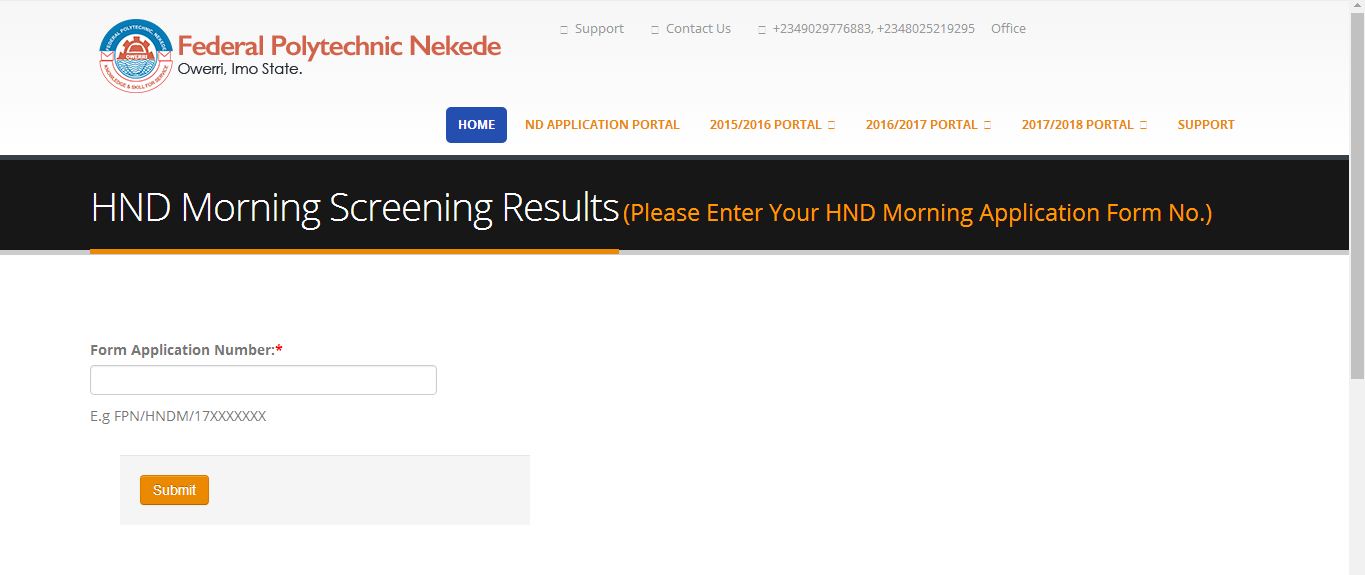
Procedure on checking the HND screening test result.
•Go to nekede Poly HND entrance exam result checking portal by logging onto http://portal.fpno.edu.ng/portal
•Click on the box and there will be a drop down menu.
•Select check HND screening Result from the drop-down menu.
•Enter your Application Number (you will find this on your registration slip) and click on submit to see your result.
For direct access click here – http://portal.fpno.edu.ng/portal/site/hnd_result_default_page.

This is to inform all prospective candidates who applied and sat for Federal Polytechnic Nekede for Higher National Diploma Programme for the 2017/2018 academic session and the general public that the HND Morning Screening Results is out.

Procedure on checking the HND screening test result.
•Go to nekede Poly HND entrance exam result checking portal by logging onto http://portal.fpno.edu.ng/portal
•Click on the box and there will be a drop down menu.
•Select check HND screening Result from the drop-down menu.
•Enter your Application Number (you will find this on your registration slip) and click on submit to see your result.
For direct access click here – http://portal.fpno.edu.ng/portal/site/hnd_result_default_page.

Follow Okay News channel on WhatsApp
Add as a preferred source on Google
Follow Okay News on Instagram
- Advertisement -

TAGGED:Fed Poly Nekede
Share This Article
Facebook Pinterest Whatsapp Whatsapp Email Print
Previous Article Okay News NASPOLY 2017/2018 Post-UTME Screening Exercise Extended
Next Article Okay News OSPOLY Iree 2017/2018 Post-UTME Screening Result Released
FacebookLike
XFollow
InstagramFollow
TiktokFollow
WhatsAppFollow
- Advertisement -
- Advertisement -
Ad imageAd image
Okay NewsOkay News
2026 © Okay International Limited - All rights reserved
  • About Us
  • Advertising
  • Contact
  • Careers
  • Team
Welcome Back!

Sign in to your account

Username or Email Address
Password

Lost your password?

Continue with Facebook