



The management of Federal Polytechnic Oko has released the HND Acceptance Fee Payment procedure for 2017/2018 academic session.
The details are as follows;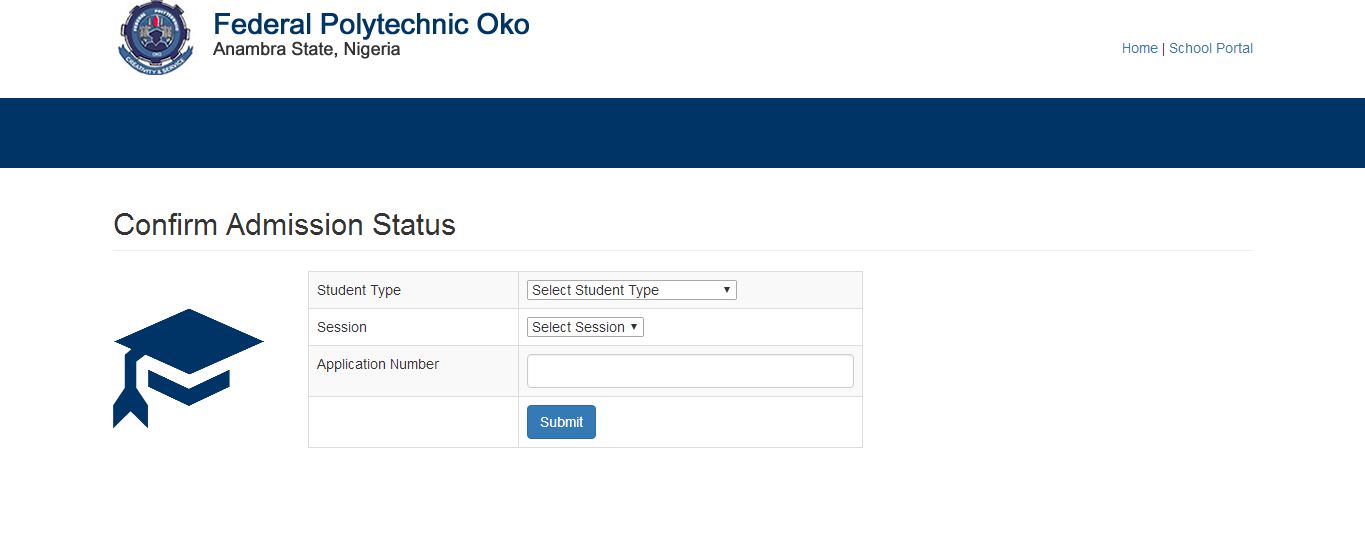 Step 1: ADMISSION STATUS CHECKING (Note:This is Free of Charge)
Candidates should visit the Polytechnic website: www.federalpolyoko.edu.ng to check their admission status adopting the following steps:
i. On the Admissions Menu, Click on Check Admission Status
ii. On the Check Admission Status page, fill in your details ACCURATELY and Click the “Submit” button
iii. Print your Admission Notification slip
Step 2: ONLINE ACCEPTANCE OF ADMISSION
Admitted students should apply the following steps for Acceptance of Admission (Note: Within two weeks of Notification of Admission):
i. Go to Bursary Unit (Revenue Unit) to generate Acceptance Invoice with Remita Retrieval Reference Number.
ii. Proceed to any of the approved collecting bank to pay your Acceptance fee (on the REMITA platform) and obtain Payment Printout.
iii. Go back to Bursary Unit (Revenue Unit) with the Payment Printout to obtain your Acceptance Letter.
Step 3: ADMISSION CLEARANCE & DATA CAPTURE
Students who have successfully accepted their Admission should proceed to the Registry Unit (Admissions) for Admission Clearance & Data Capture in the following step:
i. Go to Registry Unit with your Original Certificates & Credentials for Verification and Clearance
ii. Proceed to data capture section
Step 4: SCHOOL FEES
Successfully Cleared and captured students can proceed with School fees payment in the steps below:
i. Go to Bursary Unit (Revenue Unit) to generate School Fees Invoice with Remita Retrieval Reference Number.
ii. Proceed to any of the approved collecting bank, pay your School fee (on the REMITA platform) and obtain Bank Payment Printout.
iii. Go back to Bursary Unit (Revenue Unit) with the Payment Printout to obtain School Fees e-Receipt with auto generated Registration/Matric Number
Step 5: DEPARTMENTAL CLEARANCE
Students who have successfully paid their School Fees can proceed with departmental clearance in the steps below:
i. Next, go to your Head of Department and obtain a Departmental Clearance Note without a charge (N.B: Head of Department, on daily basis submits list of cleared students with auto generated Registration Numbers to the Admissions Office).
ii. Go to the Polytechnic Medical Centre for medical examination and obtain your medical certificate of fitness iii. Obtain a set of endorsed Student Residence Forms from the Student Affairs Office (without paying any fees.) iv. Complete the seven (7) copies of Student Residence Forms.
v. Ensure to deliver the completed forms to Students Affairs Office.
vi. Create four (4) files with the required documents (document list to be provided by Admissions Office) in each of them; write your names on each file and take all four files to Admissions Office:
vii. Collect one file from Admissions Office for records. (N.B: Admissions Office distributes the other three files, one to each of the relevant Academic Department, Verifications –External Department and retains one for its records).
viii. Go to the bursary to obtain the official school fees receipt.
Step 6: ONLINE COURSE REGISTRATION
Following a successful departmental clearance, students should can register courses online in the following steps:
i. Go to the school website ( http://www.federalpolyoko.edu.ng/) and click on the verify your account link to generate a portal account
ii. Login to the portal with respective Username and Password, and register courses online.

