

By using this site, you agree to the Privacy Policy and Terms of Use.
Accept
Okay News
  • News
  • Politics
  • Business
  • Technology
  • Security
  • Entertainment
  • Sports
Reading: FirstBank Account Linking with NIN & BVN – Step-by-Step Guide
Font ResizerAa
Okay NewsOkay News
  • News
  • Politics
  • Business
  • Technology
  • Security
  • Entertainment
  • Sports
Follow US
2026 © Okay International Limited - All rights reserved
Featured

FirstBank Account Linking with NIN & BVN – Step-by-Step Guide

Okay News
By
Okay News
ByOkay News
Okay.ng launched under OKN MEDIA PUBLISHING (RC Number: 2993580) in the year 2012 is an independent digital news platform with thousands of page views and unique...
Follow:
Published: 2024/05/04
2 Min Read
Share
SHARE

FirstBank, one of Nigeria’s leading financial institutions, has recently issued a critical security notification to its customers, urging them to link their National Identification Number (NIN) and Bank Verification Number (BVN) to their bank accounts.

Failure to comply with this mandatory security requirement may result in restrictions on fund withdrawal and receipt from FirstBank accounts.

In this guide, we offer detailed instructions on various methods to link your NIN and BVN to your FirstBank account, ensuring seamless banking services and preventing potential inconveniences.

How to Link NIN and BVN to Your FirstBank Account

Method 1: Visit a FirstBank Branch

- Advertisement -
  • Documents Needed: You’ll need to provide your FirstBank account details, NIN slip, and BVN.
  • Approach Customer Service: Visit any FirstBank branch nearby and approach the customer service desk.
  • Provide Your Information: Fill out a NIN linkage form or verbally provide your NIN and BVN along with other identification details.
  • NIN and BVN Verification: FirstBank will verify the information and documents provided.
  • Confirmation: Upon successful verification, request confirmation that your NIN and BVN have been linked to your FirstBank account.

Method 2: Visit FirstBank Website

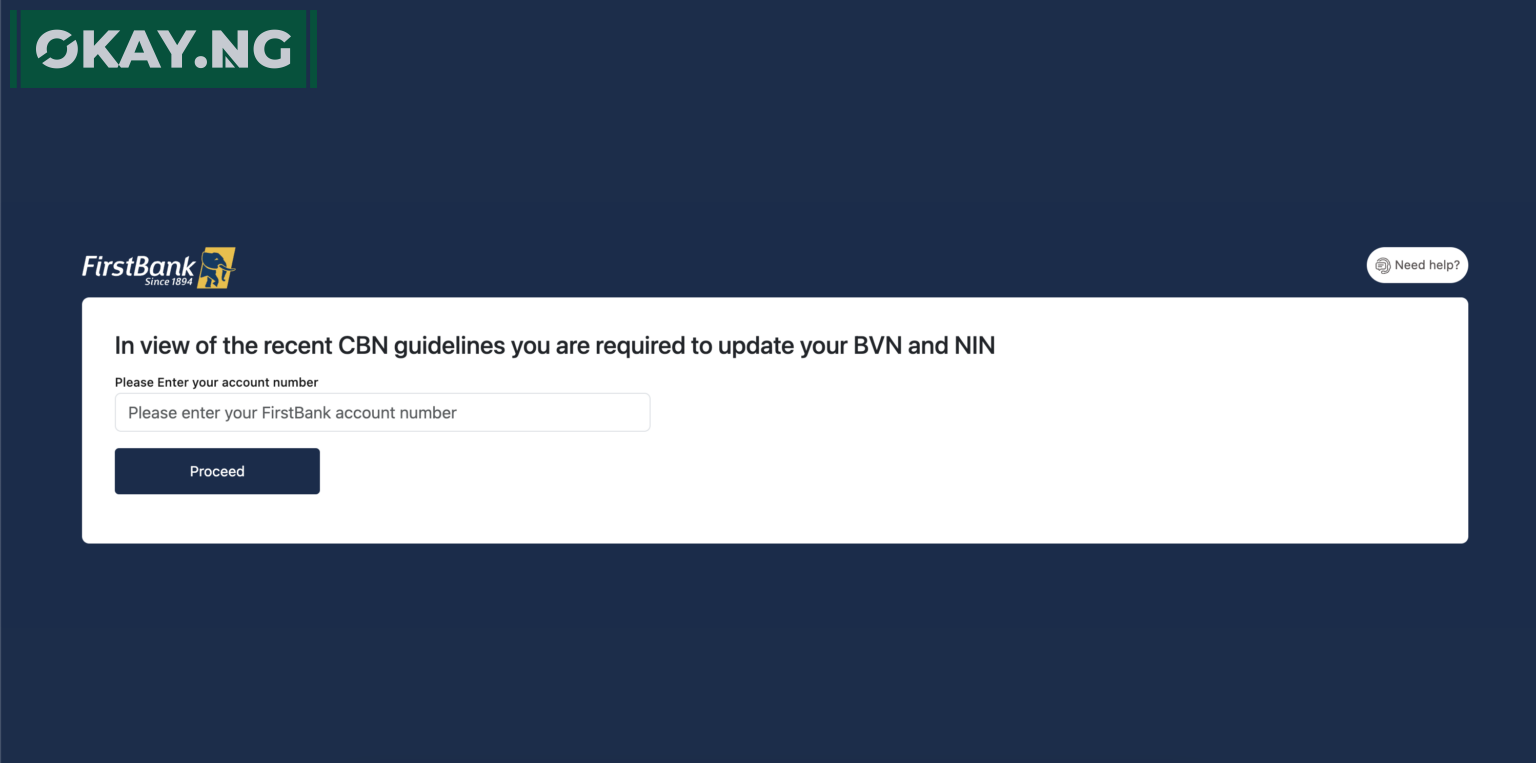
  • Access Online Portal: Visit the FirstBank website and navigate to the online self-service portal.
  • Provide Account Details: Enter your FirstBank account number and submit your BVN and NIN details online.

By following these methods, you can ensure that your NIN and BVN are successfully linked to your FirstBank account, maintaining active account status and enjoying uninterrupted banking services. Don’t delay; link your NIN and BVN today to avoid any disruptions in your banking transactions.


Follow Okay News channel on WhatsApp
Add as a preferred source on Google
Follow Okay News on Instagram
- Advertisement -

TAGGED:FirstBank
Share This Article
Facebook Pinterest Whatsapp Whatsapp Email Print
Previous Article Zenith Bank Plc Step-by-Step Guide on How to Link NIN/BVN to Your Zenith Bank Account
Next Article EcoBank Account Linking with NIN & BVN – Step-by-Step Guide

Stay Connected

FacebookLike
XFollow
InstagramFollow
TiktokFollow
WhatsAppFollow
- Advertisement -

More News

Featured

Nigeria vs Morocco AFCON 2025 Semi-Final: Date, Time, Preview, and Where to Watch Live Stream

By
Okay News
10 Min Read
Olukemi Ogunsakin
Featured

Guinness Nigeria Appoints Olukemi Ogunsakin as Head of Corporate Communications

By
Okay News
2 Min Read
Featured

FirstBank Strengthens Its Position as a Champion of African Music Through AFRIMA 2026 Sponsorship

By
Okay News
3 Min Read
Okay NewsOkay News
2026 © Okay International Limited - All rights reserved
  • About Us
  • Advertising
  • Contact
  • Careers
  • Team
Welcome Back!

Sign in to your account

Username or Email Address
Password

Lost your password?

Not a member? Sign Up