



Do you know you can now play any of the Facebook Gameroom when downloaded on your pc running on Windows 7 and above without worrying about any Facebook notifications or news-feeds despite you being logged in
Well if i were you, i won’t move an hint not until am through reading this, because in this article, you will learn how to download and play any games on Facebook
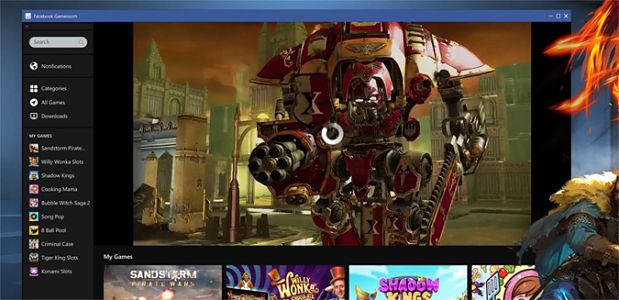
Recalled we had earlier published an article on how to download, install and play Facebook Gameroom as you may already know, the Developers ensure notification notwithstanding, doesn’t interrupts, and has really improved upon the app, added new features along with a better memory.
Also, users can now play games such as those mentioned earlier (Candy Crush and Farm vile) without having to be logged in to your Facebook Web account. In addiction you will also be able to receive your Facebook news- feeds and notifications while using Facebook Game room app.
In other words, you don’t have to worry about any news-feeds or notifications on while selecting and playing the available games.
How to Download and Play Facebook Gameroom using Windows 7 and above
Firstly, you need to log-in to your Facebook account on the net using a computer that is running on Window 7 or any PC running on windows higher than that ( Window 7) but not lower.
Luckily, you don’t need to bother yourself about your PC acting sluggishly to commands because the app memory size is not very high which makes it easy to use.
However, take note of the fact that your internet connection must be active to perform these setups
- Having being logged in to your account,
- Go to the Facebook Gameroom page
- Click on Free install in order to download.
- After the download, install the program and launch the app, whoola!!
Instantly, all saved games, or those played in the past on F-Book will appear automatically on the app with your existing stages and rewards on the game.
Additionally , there are a lot of games such as puzzles,arcade and many more games of which can be downloaded freely for you after being asked permission to continue,then you can now enjoy playing the game.

