

By using this site, you agree to the Privacy Policy and Terms of Use.
Accept
Okay News
  • News
  • Politics
  • Business
  • Technology
  • Security
  • Entertainment
  • Sports
Reading: Meta Introduces Screen-Sharing to WhatsApp, Strengthening Video Call Experience
Font ResizerAa
Okay NewsOkay News
  • News
  • Politics
  • Business
  • Technology
  • Security
  • Entertainment
  • Sports
Follow US
2026 © Okay International Limited - All rights reserved
Technology

Meta Introduces Screen-Sharing to WhatsApp, Strengthening Video Call Experience

WhatsApp's New Screen-Sharing Feature Enables Users to Share Their Screens During Video Calls, Expanding Functionality

Yusuf Abubakar
By
Yusuf Abubakar
ByYusuf Abubakar
Yusuf Abubakar, Born in the mid-’90s, a recipient of various meritorious awards, a passionate entrepreneur, an advocate of good governance, a toast master and a patriotic...
Follow:
Published: 2023/08/09
2 Min Read
Share
WhatsApp
WhatsApp
SHARE

In an effort to enhance user interaction and cater to diverse communication needs, social media giant Meta has unveiled a significant update to its popular instant messaging platform, WhatsApp.

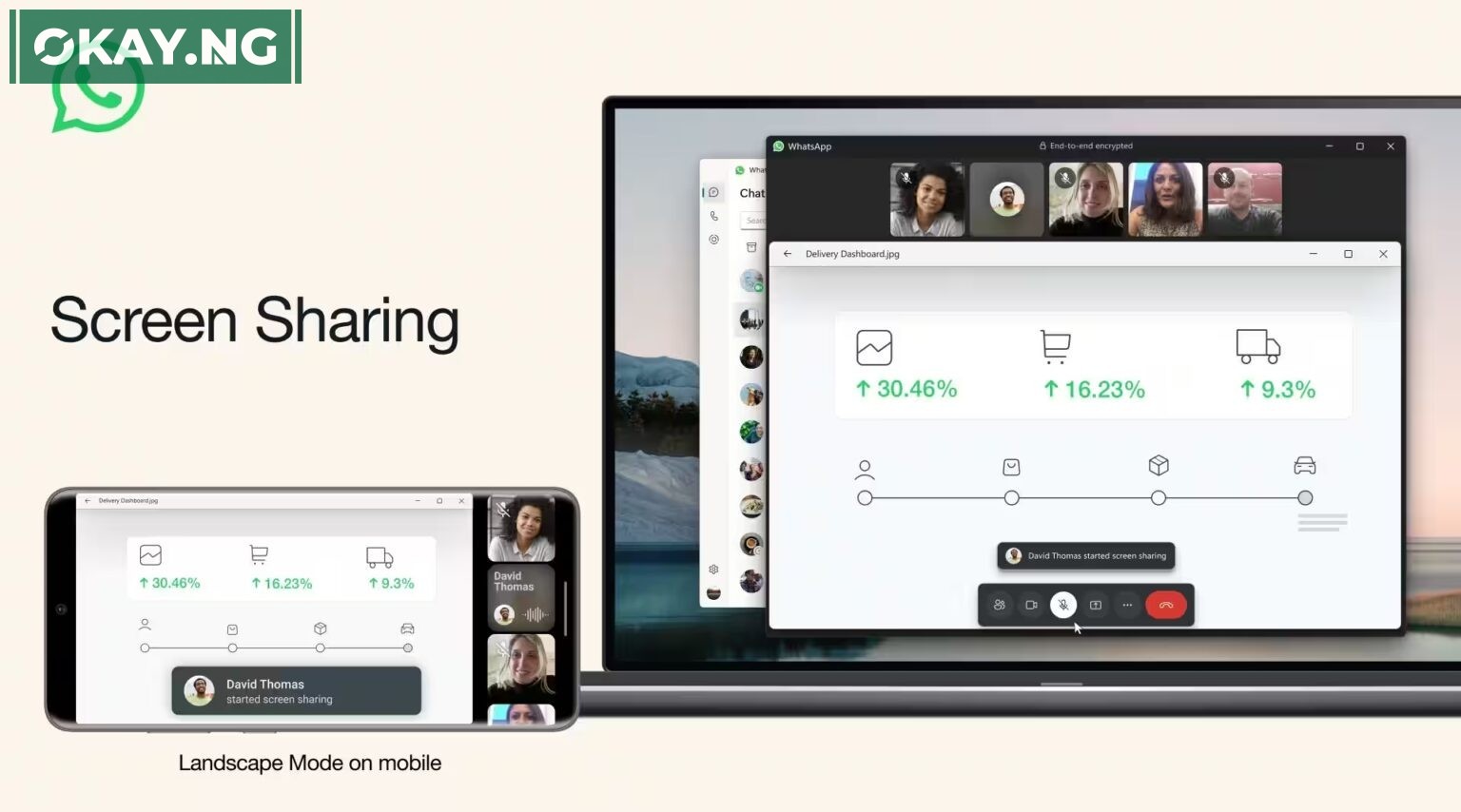
The latest addition introduces a screen-sharing capability, allowing users to seamlessly share their screens during video calls.

Mark Zuckerberg, the Chief Executive of Meta, made the announcement via his Instagram channel, revealing the new feature’s potential to transform the way users engage with each other on WhatsApp.

This feature comes as part of a broader strategy to expand the platform’s functionalities and compete more effectively in the evolving digital communication landscape.

- Advertisement -

With the new screen-sharing feature, WhatsApp users can now elevate their video calls to a new level of engagement by sharing presentations, documents, or even navigating apps in real-time, just as they would on conventional video conferencing platforms.

The feature’s release follows a beta testing phase for Android users, with the broader rollout currently underway.

To initiate screen sharing, users can simply tap or click on the dedicated ‘Share’ icon, providing the option to share a specific application or their entire screen.

This innovation opens up a realm of possibilities for collaborative efforts, remote work, and seamless communication, putting WhatsApp in direct competition with established video conferencing platforms like Zoom, Google Meet, and Microsoft Teams.

WhatsApp elaborated on the versatility of the screen-sharing feature, stating, “Whether sharing documents, browsing photos with family, planning a vacation or shopping online with friends, or just helping grandparents with tech support – screen sharing lets you share a live view of your screen during the call.”

The practicality and utility of this feature align with the ever-evolving demands of modern communication.

The screen-sharing functionality is being rolled out in phases across various platforms, including Android, iOS, and Windows Desktop.


Follow Okay News channel on WhatsApp
Add as a preferred source on Google
Follow Okay News on Instagram
- Advertisement -

TAGGED:MetaWhatsapp
Share This Article
Facebook Pinterest Whatsapp Whatsapp Email Print
Previous Article "Ndi Ike" - Falz feat. Flavour & Odumodublvck Falz, Flavour, and Odumodublvck Collaborate on Captivating Single “Ndi Ike”
Next Article Spotify Launches Personalized AI DJ Feature in Nigeria

Stay Connected

FacebookLike
XFollow
InstagramFollow
TiktokFollow
WhatsAppFollow
- Advertisement -

More News

NewsTechnology

Russia Moves to Block WhatsApp as It Promotes State-Backed Messaging App

By Adamu Abubakar Isa
1 Min Read
Artificial intelligence (AI)

OpenAI Introduces Ads on ChatGPT as Sam Altman Shifts Strategy

By Adamu Abubakar Isa
3 Min Read
Technology

Musk Says SpaceX Is Racing Toward A Moon City Before Turning Fully To Mars

By Oluwadara Akingbohungbe
4 Min Read
Okay NewsOkay News
2026 © Okay International Limited - All rights reserved
  • About Us
  • Advertising
  • Contact
  • Careers
  • Team
Welcome Back!

Sign in to your account

Username or Email Address
Password

Lost your password?

Continue with Facebook