



Personal media player software maker Plex says it’s now easier for mobile users on Android to play any video file saved on their device within its app. The move will enable it to better challenge VLC, an app users have historically turned to in order play a wider variety of video file formats. The new feature is entering a public beta today, and will support local playback of a number of file types, says Plex, including MKV, MP4, AVI, and WMV.
The expanded support arrives at a time when Plex is trying to reinvent itself as a DIY alternative to streaming TV services. It recently rolled out options to record live TV using a DVR-like function, as well as watching local channels by connecting Plex with an antenna.
However, many Plex users already have a robust video library with TV shows and movies from a variety of sources (cough, torrents) – some of which may be more difficult to play on mobile. This new option means you can load up those files on an SD card, or just sync them over to your device, then use Plex’s Android app to watch them while on the go.
It will also allow you to open files you have saved in another app – like Dropbox, for instance – and then play them in Plex. And you can use the Plex app to play files from your web browser, from your Downloads, or from a file explorer app, says Plex.
It’s worth noting, too, that this makes Plex more of a standalone app on mobile, as it no longer requires a connection with your Plex media server in order to work. (That’s where the VLC comparisons come in.)
According to Plex’s documentation, the mobile app will fetch fresh metadata for your media file when it’s opened – that is, a TV episode or movie file will show the title and artwork, while other video files will show the filename and thumbnail. In addition, most of the playback controls are available when playing a local video file, including seeking and skipping, and changing the audio tracks and subtitle tracks.
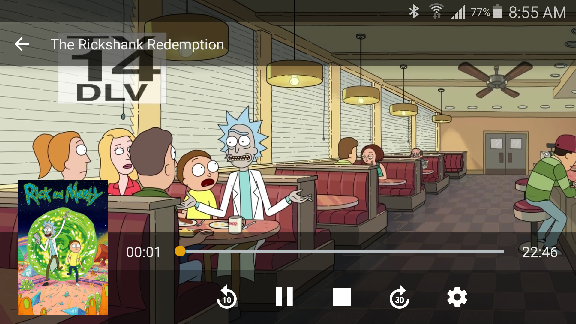
Not all video files are supported at launch, though – but most native Android formats can be played, along with some third-party formats. (Some will require Plex’s app to be activated/unlocked to allow full playback, the company notes.) Casting is not supported, either, nor can Plex remember your playback position for local files.
The new feature is available now in just updated Plex Android app (ver. 6.0 for Android phones and tablets), but is considered a public beta. The app is out now in Google Play, and will arrive soon on the Amazon App Store.

