The National Examination Council (NECO) has officially released the results for the 2023 Senior School Certificate Examination (SSCE).
The Registrar, Prof. Dantani Wushishi, revealed that 61.60 percent of candidates scored five credits, including English and Mathematics, in this year’s examination. With the results now available, candidates and their guardians are eager to access their individual results.
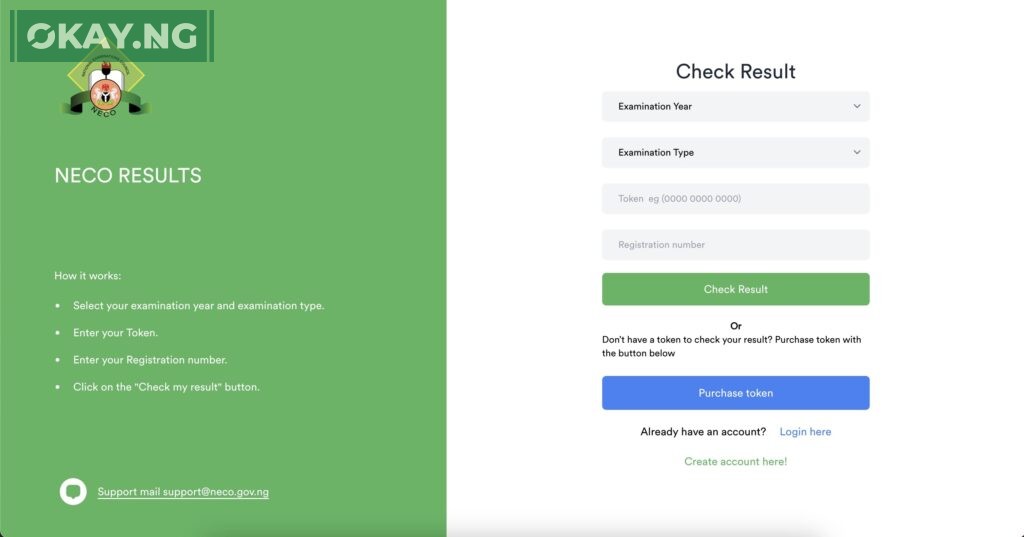
Here’s a simple guide on how to check the 2023 NECO SSCE results:
1. Visit the NECO Result-Checking Portal
To access your NECO SSCE results, you need to visit the official NECO result-checking portal. You can do this by opening a web browser on your computer or mobile device.
2. Select Examination Year and Type
Once you’re on the NECO result-checking portal, you will see various examination types. For the 2023 SSCE results, select “SSCE Internal” as the examination type. Additionally, choose the correct examination year, which is 2023.
3. Enter the Token Sent to Your Mobile Number
To proceed, you will need the token that was sent to your mobile number. Ensure that you have the correct token ready. This token is a unique code that grants you access to your results.
4. Enter Your Registration Number
Next, enter your registration number. This is a unique identification number assigned to you during the registration process for the SSCE examination.
5. Click “Check My Result”
After entering your token and registration number, click on the “Check my result” button. This will initiate the process of retrieving your NECO SSCE results.
6. View and Print Your Results
Once the system has processed your information, your NECO SSCE results will be displayed on the screen.
You can review your individual subject scores and overall performance. To retain a physical copy, consider printing the results for your records.
It’s important to double-check all the information you’ve entered to ensure accuracy. Any inaccuracies in your registration number or token can lead to difficulties in accessing your results.
Remember that the NECO SSCE results are a crucial aspect of your academic journey, as they can impact future educational and career opportunities. Therefore, it’s advisable to keep your results in a safe and accessible place for reference.
With this step-by-step guide, you should be able to easily check your 2023 NECO SSCE results and celebrate your achievements or plan your next steps accordingly.
To check your results, visit the NECO result-checking portal at https://results.neco.gov.ng/.