

By using this site, you agree to the Privacy Policy and Terms of Use.
Accept
Okay News
  • News
  • Politics
  • Business
  • Technology
  • Security
  • Entertainment
  • Sports
Reading: JAMB: No Internet? No Problem! Check Your 2024 UTME Results via SMS
Font ResizerAa
Okay NewsOkay News
  • News
  • Politics
  • Business
  • Technology
  • Security
  • Entertainment
  • Sports
Follow US
2026 © Okay International Limited - All rights reserved
Featured

JAMB: No Internet? No Problem! Check Your 2024 UTME Results via SMS

Okay News
By
Okay News
ByOkay News
Okay.ng launched under OKN MEDIA PUBLISHING (RC Number: 2993580) in the year 2012 is an independent digital news platform with thousands of page views and unique...
Follow:
Published: 2024/05/04
2 Min Read
Share
SHARE

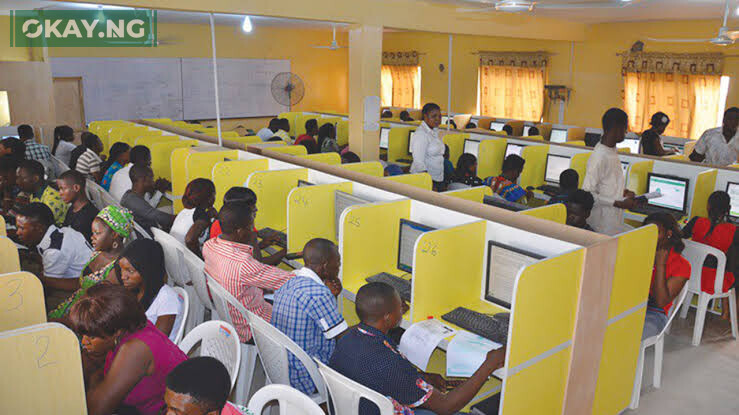
The Joint Admissions and Matriculation Board (JAMB) has just released the eagerly awaited results of the 2024 Unified Tertiary Matriculation Examination (UTME). 

Contents
  • How to Check Your JAMB Results via SMS
  • Frequently Asked Questions

With over 1.94 million candidates having registered and participated in the examination across 118 towns and over 700 locations nationwide, the anticipation has been palpable.

Today, we bring you a comprehensive guide on how to check your JAMB results via SMS, ensuring that even without internet access, you can still get the information you need.

How to Check Your JAMB Results via SMS

Checking your JAMB results via SMS is a straightforward process. Follow these steps to get your results delivered to your phone:

- Advertisement -
  1. Ensure You Have Sufficient Airtime: Before you proceed, make sure you have at least N50 airtime on your mobile phone, as this service incurs a charge.
  2. Send Your Request: Go to the messaging app on your phone, type UTMERESULT, followed by your JAMB Registration Number, and send it to 55019.
  3. Receive Your Results: After the service charge is deducted, you will receive an SMS containing your JAMB result.

Frequently Asked Questions

What Do I Need to Check My JAMB Results via SMS?

  • A mobile phone capable of sending SMS
  • The phone number used during JAMB registration
  • At least N50 airtime balance

How Long Does It Take to Receive the Results?

The response time can vary, but typically, you should receive your results within a few minutes after sending the SMS.

Can I Check My Results Multiple Times?

Yes, you can check your results multiple times. However, keep in mind that each request will incur a charge of N50.

Is This Service Available to All Networks?

The SMS service is available across all major mobile networks in Nigeria.

What Should I Do If I Don’t Receive My Results?

If you do not receive your results after sending the SMS, ensure that you have enough airtime and that you are using the correct format and phone number. If the issue persists, contact JAMB support for assistance.


Follow Okay News channel on WhatsApp
Add as a preferred source on Google
Follow Okay News on Instagram
- Advertisement -

TAGGED:2024 UTME
Share This Article
Facebook Pinterest Whatsapp Whatsapp Email Print
Previous Article Kano Gov’t Debunks Report of Journalist Injured by Stray Bullet
Next Article JAMB: First Batch of 2024 UTME Results: Here’s the Latest Update

Stay Connected

FacebookLike
XFollow
InstagramFollow
TiktokFollow
WhatsAppFollow
- Advertisement -

More News

Featured

Snoonu Honoured at Lusail University Partners Appreciation Ceremony in Qatar

By Okay News
2 Min Read
Noor Abu-Khadija
Featured

Qatar Positions Itself as Global Startup Hub Through Zero-Equity Growth Pipeline – MCIT

By Okay News
4 Min Read
Featured

JOHESU Strike Update – Here’s What You Should Know

By Okay News
5 Min Read
Okay NewsOkay News
2026 © Okay International Limited - All rights reserved
  • About Us
  • Advertising
  • Contact
  • Careers
  • Team
Welcome Back!

Sign in to your account

Username or Email Address
Password

Lost your password?

Continue with Facebook
Not a member? Sign Up