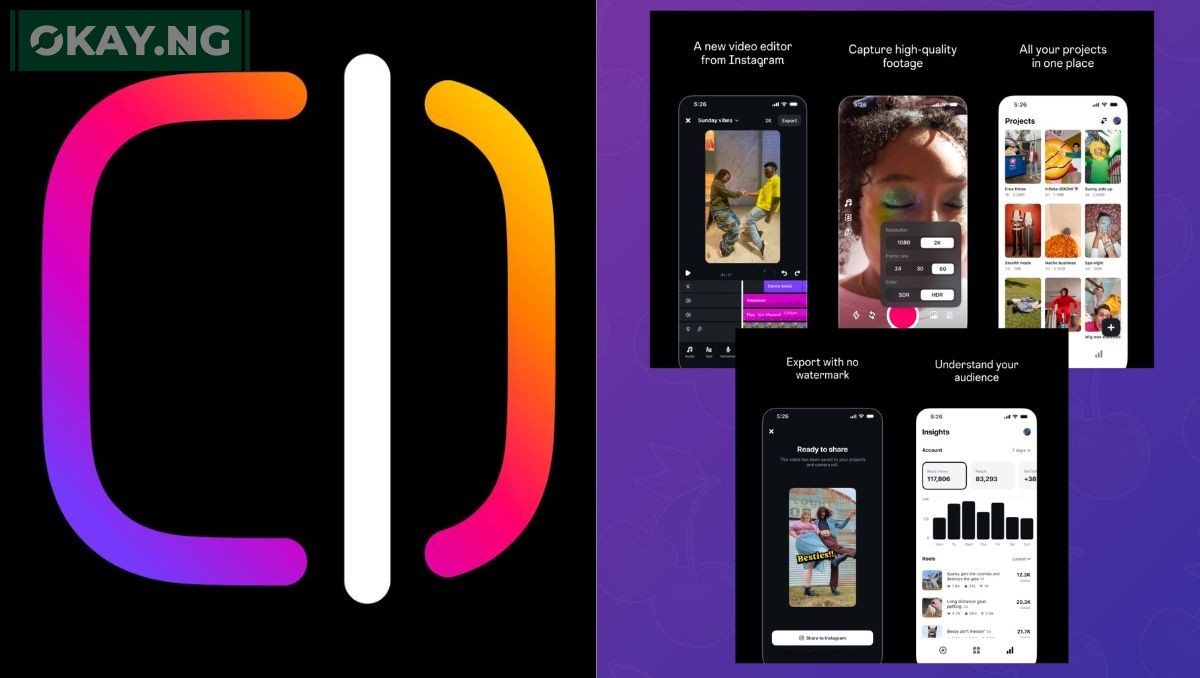
Instagram is stepping up its game — and content creators everywhere are about to benefit in a big way. The social media giant is set to launch a brand-new app called Instagram Edits, a video editing companion tailored specifically for Reels and short-form content.
If you’ve ever wanted more control, cleaner edits, and advanced features beyond the native Instagram app, this might be the tool you’ve been waiting for.
What Is Instagram Edits?
At its core, Instagram Edits is a standalone video editing app designed for creators who want more flexibility and polish in their content. Think of it as Instagram’s answer to CapCut — but with deeper integration into the Instagram platform and tools designed specifically for how people engage with Reels.
The app makes it easier to film, edit, and share high-quality videos without switching between platforms or sacrificing creative control.
Key Features Creators Will Love
Instagram is clearly aiming to simplify the workflow for creators who live and breathe short-form video. Here’s a rundown of what’s coming:
- Powerful Editing Tools
From frame-by-frame trimming to multi-layer editing and smooth transitions, you’ll be able to build more professional content right from your phone. - Smart Suggestions with AI
The app will use AI to recommend filters, music, captions, and even visuals — all based on trending styles and your previous content. - Real-Time Traffic and Discovery Tabs
Two major tabs stand out: the “Inspiration” tab shows trending formats, while the “Drafts” tab keeps your unfinished videos easily accessible. - Built-In Performance Insights
Get analytics on how each piece of content performs, so you know what’s working — and what’s not. - Seamless Instagram Integration
No more saving videos and uploading them manually. You’ll be able to publish straight to your Reels, Feed, or Stories without ever leaving the app. - Collaborative Editing
Share your drafts with team members or co-creators, making it easier to create together — even if you’re not in the same room.
Instagram Edits vs CapCut: How They Compare
While CapCut has long been the go-to for many TikTok creators, Instagram Edits is shaping up to be its biggest rival. Here’s a quick side-by-side:
| Feature | Instagram Edits | CapCut |
|---|---|---|
| Platform Integration | TikTok | |
| AI-Powered Enhancements | Yes | Yes |
| Team Collaboration | Yes | No |
| In-App Analytics | Yes | Limited |
| Ideal For | IG Reels & Stories | TikTok & YouTube Shorts |
When Is It Launching?
- Release Date: April 30, 2025
- Platforms: iOS first; Android to follow shortly
- Where to Get It: Preorder is now live on the Apple App Store
How to Use Instagram Edits (Once It’s Out)
Getting started will be simple:
- Download the app from the App Store.
- Log in using your Instagram account.
- Start exploring templates, filters, trending edits, and smart suggestions.
- Create your content using intuitive editing tools.
- Publish straight to Instagram — no extra steps needed.